
How to Create an AI Music Video: From Song Idea to Finished Video
Updated:
Creating a music video used to require a combination of music production skills, filming equipment, editing software, and considerable time. Today, AI tools are making it easier for independent musicians and content creators to turn an idea into a complete audiovisual project.
Whether you want to create an original song, produce visuals for a YouTube channel, or experiment with a new creative style, AI can simplify several stages of the process.
The key is knowing how to connect music creation, visual planning, video generation, and final editing into a workflow that makes sense.
In this guide, we'll walk through the process of creating an AI music video, explain how different tools fit into the workflow, and share practical tips for producing a more cohesive final result.
What Is an AI Music Video?
An AI music video is a video created with the assistance of artificial intelligence to accompany a song. Depending on the tools used, the workflow may involve generating music, creating visual scenes, synchronizing imagery with audio, displaying lyrics, or animating characters.
Some creators use AI to produce an entire music video, while others combine AI-generated scenes with existing footage, artwork, and traditional editing techniques.
AI music videos can be useful for independent musicians, YouTube creators, social media publishers, and anyone who wants to experiment with music-driven visual storytelling without relying entirely on traditional video production.
The final result still depends on creative direction, the capabilities of the tools, and the amount of review and refinement involved.
Step 1: Decide What Kind of Music You Want to Create
Before generating anything, define the purpose and mood of your project.
Are you creating a relaxing instrumental for a study video, an energetic pop song, a cinematic soundtrack, or a complete song with vocals and lyrics?
Your answer will influence both the music and the visual style.
Start by identifying four elements:
Genre: Pop, electronic, hip-hop, rock, ambient, or another style.
Mood: Relaxing, uplifting, mysterious, romantic, dramatic, or playful.
Structure: A short instrumental, a verse-and-chorus song, or a longer composition.
Purpose: A music release, a YouTube video, a short-form social post, or background music for a creative project.
For example, a dreamy indie-pop song might work well with warm lighting, nostalgic environments, and slow cinematic transitions. An energetic electronic track might call for bold colors, dynamic movement, and faster visual changes.
Having a clear direction from the beginning makes it easier to choose suitable tools and avoid generating disconnected elements.
Step 2: Generate Your Music With AI
Once you have a concept, the next step is creating the soundtrack.
AI music generators can turn text descriptions, musical ideas, or lyrics into audio. Depending on the platform and model, they may produce instrumental tracks, vocal performances, melodies, and complete song arrangements.
When choosing a music generation tool, consider whether it supports the type of audio you need, how much creative control it offers, what export formats are available, and whether its licensing terms suit your intended use.
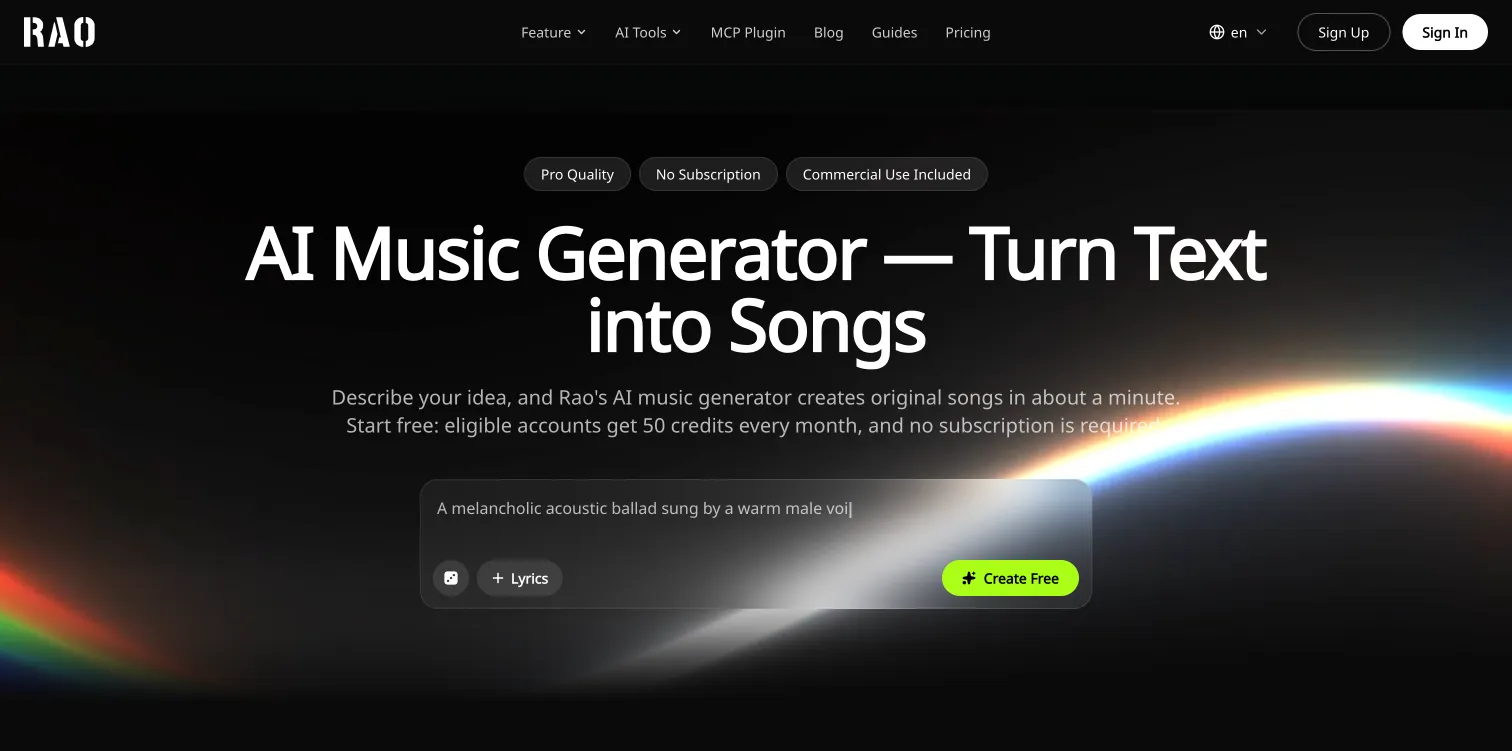
For example, RaoMusic is an AI music creation platform that supports text-to-music generation, lyrics-to-song creation, and instrumental music. It can be a useful resource for creators who want to develop a soundtrack before moving on to video production.
Write a more effective music prompt
A useful prompt describes the sound you want rather than relying on a broad instruction such as "make a good song."
Try including:
The musical genre and overall mood
The instruments and vocal style
The approximate energy and tempo
The atmosphere or setting you want the music to evoke
Any structural details that matter to your project
For example:
"Create a dreamy indie-pop song with warm vocals, gentle acoustic guitar, atmospheric synthesizers, a steady rhythm, and a hopeful chorus that feels like a summer evening."
Generate a few variations if necessary, then choose the track that best fits your concept.
Listen to the entire song before proceeding. Pay attention to the arrangement, transitions, ending, and any unexpected vocal or instrumental elements that might affect the video.
Step 3: Develop a Visual Concept
A good music video should complement the song rather than simply place unrelated images behind it.
Start by deciding what the audience should feel when watching the video. You might want to tell a story, create a performance-style experience, or build an atmospheric visual world.
Here are three approaches to consider.
Narrative storytelling
Build a simple story around the song's lyrics or emotional theme.
A song about personal growth might follow a character moving from a confined environment into an open landscape. A nostalgic track could use scenes that suggest memories, changing seasons, or meaningful places.
Performance-based visuals
Focus on a singer or character performing the song.
This approach can work well for pop, rock, hip-hop, and electronic music, especially when you want a recognizable character or artist identity.
Atmospheric and abstract imagery
Use landscapes, cinematic environments, abstract shapes, lighting effects, or surreal scenes to reflect the music's mood.
This approach is particularly suitable for instrumental music, ambient tracks, and soundtracks where a literal storyline isn't necessary.
Before generating the video, write down a few key scenes and choose a consistent visual style. A limited color palette, recurring character, or recognizable environment can help tie the entire video together.
Step 4: Turn Your Song Into a Music Video
With the soundtrack and visual concept ready, you can begin generating the video.
An AI music video generator can help turn a song into a visual experience by creating scenes and, depending on the tool, coordinating visual changes with the music.
For creators who want to bring music and visuals together in one workflow, Vozmi offers AI-powered music creation and music video generation, including beat-matched scenes, timed lyrics, and character lip synchronization.
A practical workflow looks like this:
Prepare the audio. Select the version of your song that you want to use.
Choose the visual direction. Define the characters, environments, mood, and artistic style.
Generate the video. Use the available AI video workflow to create visuals that complement your music.
Review the result. Check whether the scenes fit the song and whether the visual style remains consistent.
Refine where necessary. Adjust the concept or regenerate sections when the tool supports it.
The exact process depends on the platform and the features available in your account.
One useful principle is to keep the initial concept focused. Trying to combine too many unrelated visual styles can make a video feel inconsistent, even when individual scenes look impressive.
Step 5: Synchronize the Visuals With the Music
Synchronization is an important part of making a music video feel intentional.
A video can contain attractive imagery but still feel disconnected from the soundtrack if the pacing and transitions don't complement the music.
Start by identifying the song's main sections, including the introduction, verses, chorus, instrumental breaks, and ending.
Then consider how the visuals should change throughout the track.
For example:
A gradual introduction may work well with a slow reveal.
A chorus may benefit from a more recognizable scene or stronger visual emphasis.
An instrumental drop may provide an opportunity for a noticeable change in movement or composition.
A quieter bridge may suit simpler imagery and slower transitions.
The ending should feel intentional rather than stopping abruptly.
If the video contains lyrics, check that the words appear at the appropriate moments and remain readable.
For character-based videos, look for inconsistencies in appearance, movement, and lip synchronization. For cinematic videos, pay attention to scene continuity, lighting, and transitions.
Some AI tools can automate parts of this process, but reviewing the full video remains important.
Step 6: Prepare Your Video for YouTube and Social Media
Once the video is ready, adapt it to the platform where you plan to publish it.
YouTube music videos
A landscape format is often suitable for full-length music videos. Make sure the opening establishes the visual direction quickly and that the video remains engaging throughout the song.
Consider creating a thumbnail that reflects the track's mood and visual identity.
TikTok, Instagram Reels, and YouTube Shorts
Short-form platforms often work well with a memorable section of the song.
Instead of simply cutting a random portion from the full video, select a chorus, distinctive instrumental passage, or emotionally important moment.
A vertical version may be more suitable for these feeds.
Multiple versions from one song
One finished track can support several pieces of content, including:
A full-length music video
A short chorus highlight
A lyric-focused clip
A teaser for an upcoming release
An alternate visual version of the same song
Creating these variations can help you experiment with different formats without developing an entirely new song for every post.
Before publishing, check the audio quality, aspect ratio, resolution, synchronization, and overall presentation.
Step 7: Check Music Rights and Commercial Usage
Before publishing or monetizing an AI music video, review the rights associated with the music, visuals, and other assets.
AI-generated content is not automatically free of every copyright or licensing restriction. The terms may vary according to the tool, model, subscription plan, source material, and intended use.
Check whether your chosen music generator permits commercial use and whether additional conditions apply to downloads, samples, vocals, or uploaded lyrics.
You should also review the terms for the video generation platform and any third-party materials included in your project.
If you plan to monetize a YouTube channel, create advertisements, or deliver videos to clients, keep copies of relevant licenses and terms.
Taking a few minutes to verify these details can help prevent problems later.
Step 8: Improve Your Workflow With Each Project
Your first AI music video doesn't need to be perfect. The goal is to develop a repeatable process that improves with experience.
After completing a project, review what worked and what could be better.
Ask yourself:
Did the soundtrack match the original concept?
Did the visuals complement the song's structure?
Were the characters and scenes consistent?
Which parts required the most revisions?
Which video format worked best for the intended audience?
Keep useful prompts, visual references, and workflow notes so you can reuse successful ideas in future projects.
Over time, you may discover a recognizable visual style that helps your music stand out.
Final Thoughts
Creating an AI music video involves more than generating a song and adding images. The strongest results come from connecting music, visual storytelling, synchronization, and thoughtful editing into one coherent experience.
Start with a clear musical concept, choose tools that fit your project, and develop a visual direction that complements the sound. Review the finished video carefully, check the relevant licensing terms, and prepare versions suited to your intended platforms.
Whether you're experimenting with your first AI-generated song or building a larger music project, a structured workflow can help you turn ideas into more polished audiovisual content.
As AI music and video tools continue to evolve, creators have more opportunities to explore new styles, experiment with visual storytelling, and develop their own creative processes.